![Logo_BW-1.png]](https://customers.seatti.co/hs-fs/hubfs/Logo_BW-1.png?height=31&name=Logo_BW-1.png)
1. Navigate to the workspace or parking space you want to assign
First, navigate to "Spaces" in the Admin Panel of Seatti and then choose the area with the resource that you want to assign to someone is located in. (Resource = workspace or parkingspace with a capacity of 1). You can only assign single resources but not whole areas.
When you found the resource you want to assign to someone, click on its name or the pen to edit it. You will see a toggle for "Assigned Desk" in the upper navigation bar.
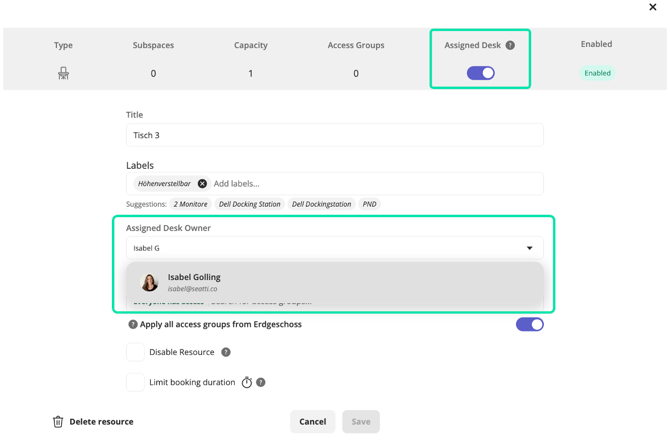
You can turn a workspace into a fixed desk via the toggle "Assigned Desk" which will open
a new field with "Assigned Desk Owner". This works the same for parking spaces.
2. Assign a person to the resource
Choose the person who this resource should be assigned to.
You can simply search for a name in the field as marked above.
The resource will permanently be reserved for that person once you hit the "save" button.
3. Decide who can book the resource after release
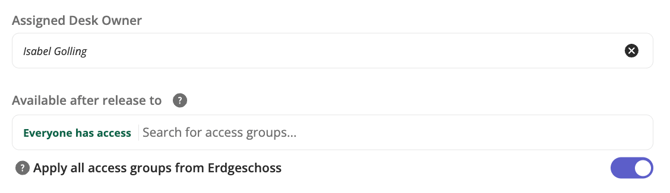
In the field below you can define who is allowed to book the resource after it has been released by the assignee.
You can select access groups just like for any other space or resource. The system refers to Azure Security Groups when searching the directory here.
If you don't select any group here, everyone who is allowed to book in the area where the resource is located, is allowed to book it after release. You may also simply use the toggle to "Apply all access groups from the parent space" (which is on by default) to allow anyone who can book the surrounding desks in that area, to also book this one, should it become available.
Caution: When configuring an existing resource into an assigned one, all future booking on that resource, that are not made by the assignee, will be deleted!
Please check upfront via Meetup or Booking management if someone is affected by this and give them a quick heads-up to book something else for themselves.
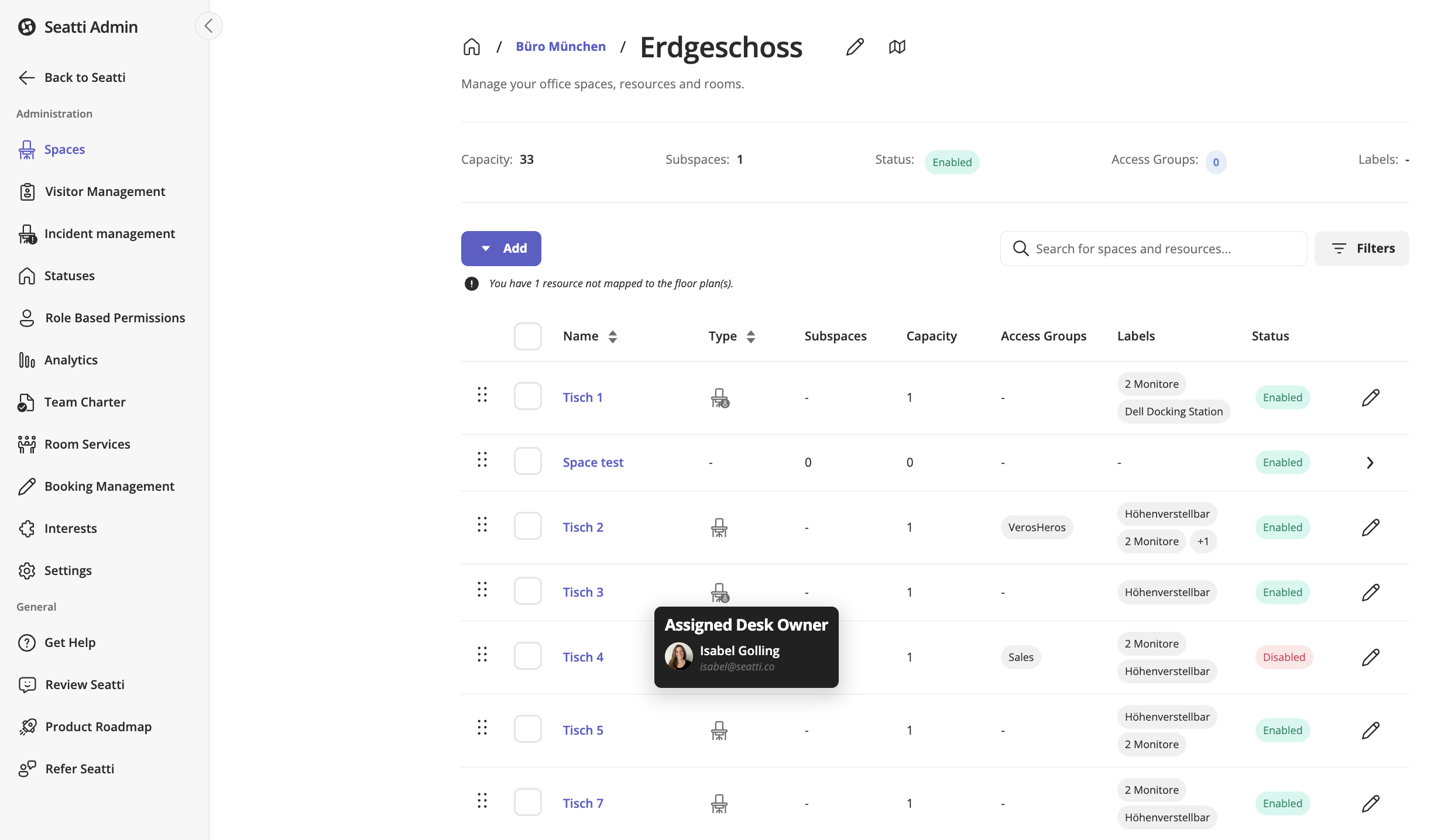
You can see which of the desks are assigned from the overview table.